
 913-685-9477
The SecureSend Message window will open - you’ll now see the elements of your user’s submitted form.
In the Attachments frame will appear a link to the submittal PDF file, as well as any attachments (like signatures or uploaded documents). Note that the PDF file will include any electronic signatures placed in position, but will not include uploaded documents.
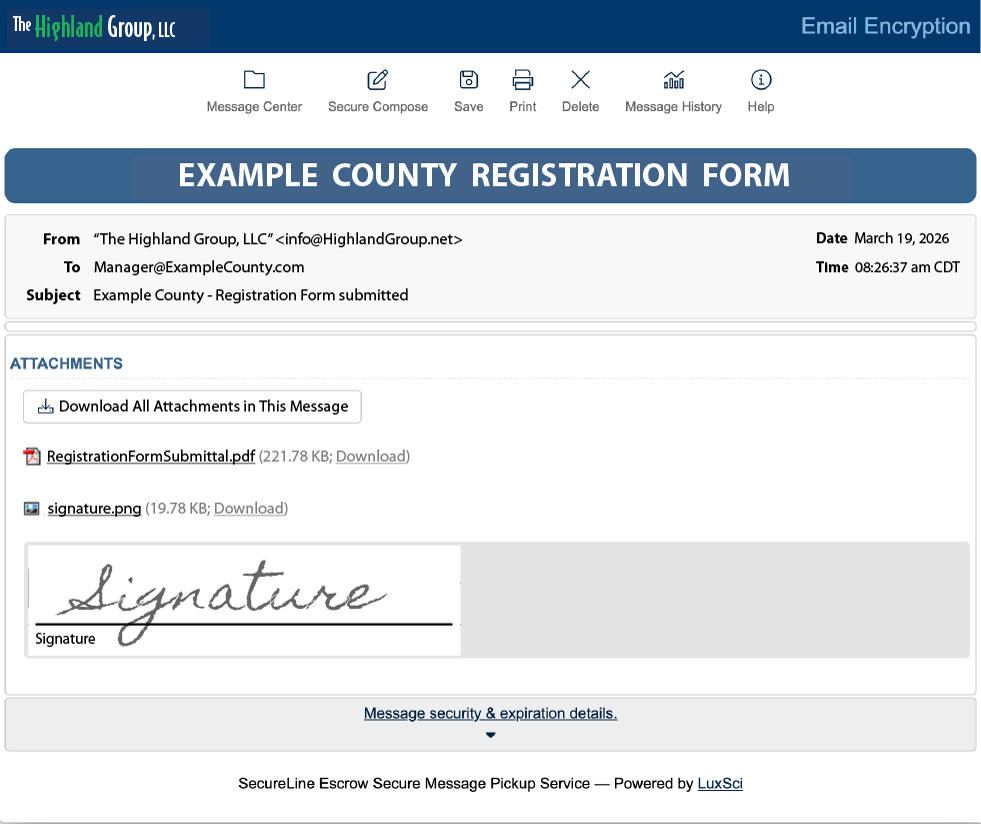
A click on the submittal PDF link will open the document in your browser (may depend on your browser settings). You can just read it there and take whatever action comes next, or you may download it to the location of your choice right from your browser.
If you don’t need to read the PDF first you can just click the individual Download or the Download All Attachments in This Message button to send it to your desired destination.
If you’d like to see all the submitted documents you’ve received at any time, just click the Message Center icon  at the top of the window.
