
 913-685-9477
 Sometimes your form users just have to take a break...
We’ve all been there – working on completing a long or complicated form and it becomes a really good idea to just stop for a while.
And if they’re working on a tablet or a smartphone and leave them untouched for too long, they sometimes come back to a closed browser session and then it’s time to start all over again.
This is how the infamous ‘form abandonment’ sometimes happens.
There is a solution!
If your form is especially lengthy, or requires a lot of stopping and looking up information in order to complete it, you can opt for our Save and Resume feature.
We’ll place a Save Form Progress button in the header of your form – if your user needs to stop for a while, they’ll click it and then see the Save Form dialog:
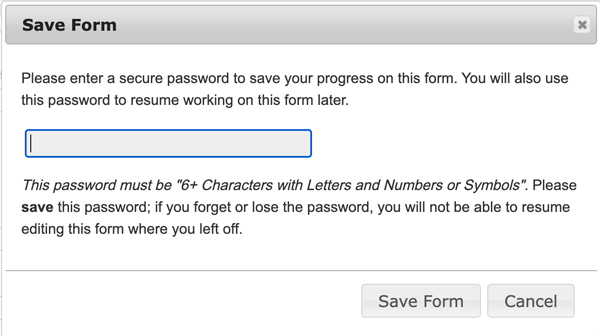
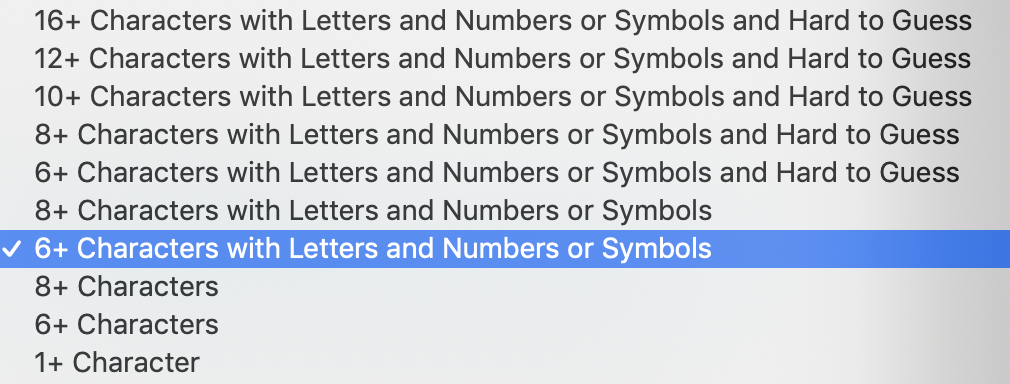
All they’ll need to do is enter a password of their choice – we can specify a variety of password rules:
Once they’ve entered their password and clicked Save Form, they’ll see the Save Form: Complete dialog:
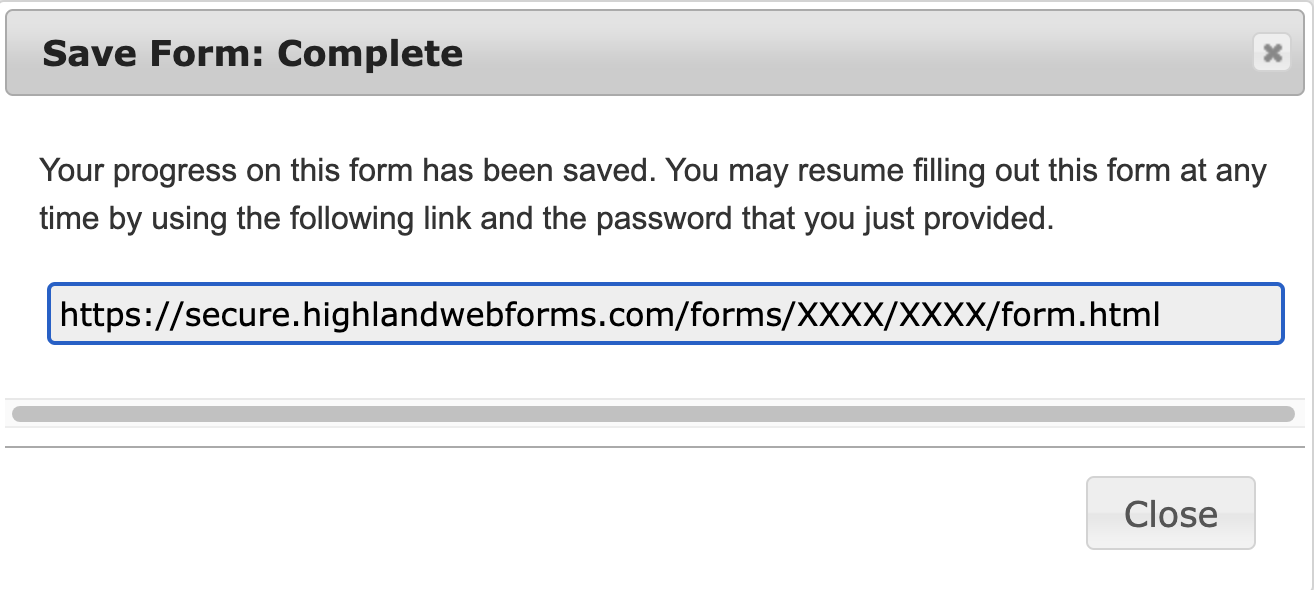
This shows the URL that they can use to return to their form any time in the next 90 days. When they do, the form will appear just as they left it (the only exception is any items they’ve uploaded – they’ll have to upload those again). They can continue onward until completion, or can save their progress again and go through the cycle if necessary.
Once they’ve finished and hit the Submit button, the earlier saved form will be removed from our database and everything proceeds as usual.